
FieldSalesPro for Salesforce2.0.1 - App Store
You'll be able to see results in few seconds.
Publisher Description
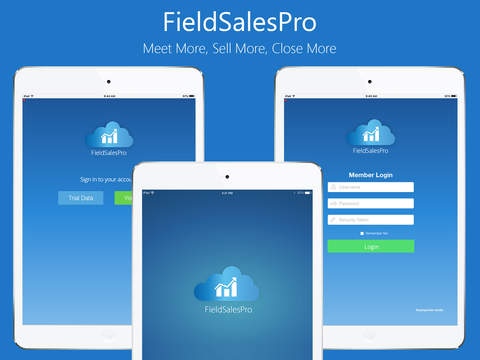
A mobile app to get more field sales meetings with prospects and make your first impressions count.
Available for iOS devices.
FieldSalesPro organizes and improves the efficiency of key sales processes, including sales coaching, product cataloging, meeting effectiveness, quote management, and sales performance analysis.
Managing strategic accounts or business units - grows your revenue with existing customers and leading the sales process enables your field sales managers to guide their team through the chain. The typical issue we find includes pursuing the wrong opportunities, missing access to the real decision makers and generic value propositions with no differentiation.
FieldSalesPro seamlessly integrates with Salesforce.com and leverages the wide range of functionalities, best practices and standard objects, including contacts, opportunity, products and customers.
Features:
Works seamlessly in online and offline modes
Extends products and customers from Salesforce that can be marked favorite to access offline
Products can be tagged to prospects for quick access during meetings
Schedule meetings with adequate insights for decision makers, real time product catalogs, media, documentation, collateral and price offers
Conduct and capture meeting proceedings, attendee participation, interest level and action items effectively
Intuitive, real time and near time analytic for effective planning, learning across team members
Integrates with Salesforce Sales Cloud
How it works:
Sign into FieldSalesPro on your device using your Sales Cloud privileges and endpoint URL (If you are unable to login, contact your administrator to enable your FieldSalesPro or refer to the deployment guide available within the app)
Product Catalog - Access your product catalogs from anywhere, anytime. Include real time feature updates, offers, prices and tag them to your relevant prospects and opportunities
View details about each product
Favorite the products to make them available for an offline view
Customers - Lookup for the prospect or customers
View details about each customer
Favorite customers to make them available for an offline view
Tag appropriate products to prospects & customers
View Open tasks, opportunities, modify them as appropriate
Meeting Effectiveness - Schedule your meeting for a sales opportunity, include your attendees, choose an agenda or simply add it to your meeting description. All tagged products and product catalogs that you re prepared for this opportunity, get automatically attached to this meeting.
Create meetings with the contacts of the account
Send meeting invites
View meetings planned
Start meeting
Present products
Capture notes, new opportunities, request for sample, request for a quote etc.
Capture participants (planned, unplanned)
End meeting: Send MOM
Synchronize Products/ Customers/ Meetings (as appropriate) with Salesforce
Analyze your performance using built-in analytics and sell better!
Meet More, Sell More, Close More
Requires iOS 7.0 or later. Compatible with iPad.
About FieldSalesPro for Salesforce
The company that develops FieldSalesPro for Salesforce is CRMIT Solutions Inc.. The latest version released by its developer is 2.0.1.
To install FieldSalesPro for Salesforce on your iOS device, just click the green Continue To App button above to start the installation process. The app is listed on our website since 2016-01-18 and was downloaded 0 times. We have already checked if the download link is safe, however for your own protection we recommend that you scan the downloaded app with your antivirus. Your antivirus may detect the FieldSalesPro for Salesforce as malware if the download link is broken.
How to install FieldSalesPro for Salesforce on your iOS device:
- Click on the Continue To App button on our website. This will redirect you to the App Store.
- Once the FieldSalesPro for Salesforce is shown in the iTunes listing of your iOS device, you can start its download and installation. Tap on the GET button to the right of the app to start downloading it.
- If you are not logged-in the iOS appstore app, you'll be prompted for your your Apple ID and/or password.
- After FieldSalesPro for Salesforce is downloaded, you'll see an INSTALL button to the right. Tap on it to start the actual installation of the iOS app.
- Once installation is finished you can tap on the OPEN button to start it. Its icon will also be added to your device home screen.
Program Details
System requirements
Download information
Pricing
Version History
version 2.0.1
posted on 2016-01-18
Disclaimer
Official App Store Link
We do not host FieldSalesPro for Salesforce on our servers. We did not scan it for viruses, adware, spyware or other type of malware. This app is hosted by Apple and passed their terms and conditions to be listed there. We recommend caution when installing it.
The App Store link for FieldSalesPro for Salesforce is provided to you by apps112.com without any warranties, representations or guarantees of any kind, so access it at your own risk.
If you have questions regarding this particular app contact the publisher directly. For questions about the functionalities of apps112.com contact us.
